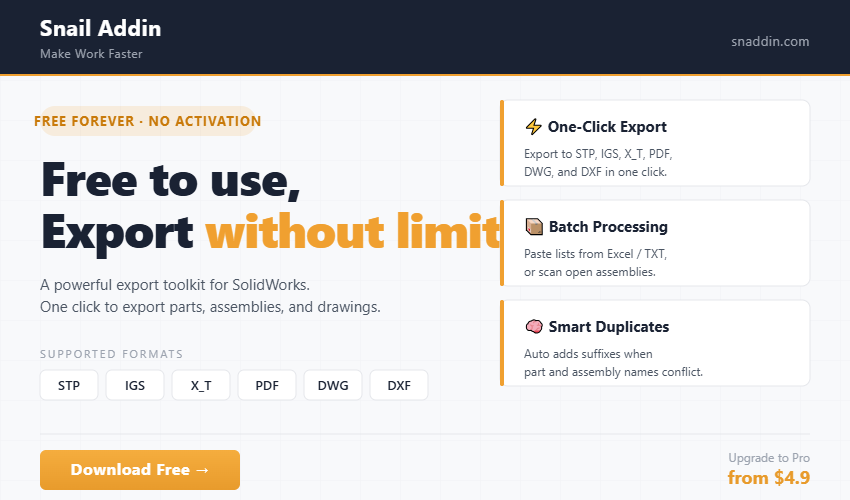
Core Features
- One-click export to STP, IGS, X_T, PDF, DWG, DXF formats.
- Batch Export — Supports pasting file lists from Excel/TXT, or scanning the active open assembly.
- Smart Scan — Automatically scans files to generate the export list.
- Duplicate Name Handling — Automatically appends suffixes to distinguish parts and assemblies with identical names. Export Report — Generates a detailed status log after each batch export.
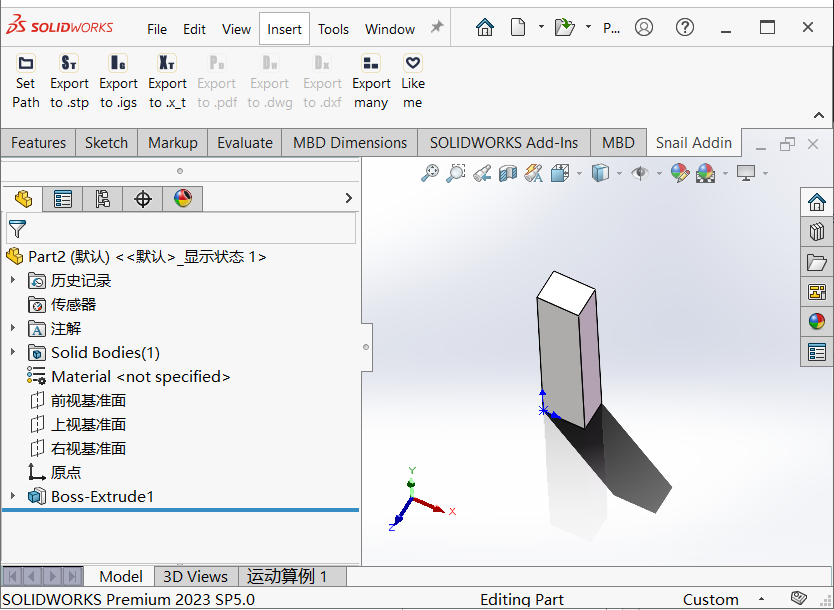
- Seamless Integration — Runs from a dedicated SolidWorks toolbar.
- Free Version — All above features available for trial.
One-click export to STP, IGS, X_T, PDF, DWG, DXF
Quickly export the currently opened 3D models and 2D drawings to the target folder, set output directory via Set Path.
Batch Export — Supports pasting file lists from Excel/TXT, or scanning the active open assembly.
Copy part numbers from Excel or TXT documents and paste them into the 2nd column SolidWorks File Name of the list to start batch export.
Smart Scan — The Scan button scans either the Search Path or the current assembly to build the export list.
When an assembly window is active, it automatically scans all components and subassemblies within the assembly to generate the export list. When the active window is not an assembly, it searches the directory specified in Search Path to get the export list.
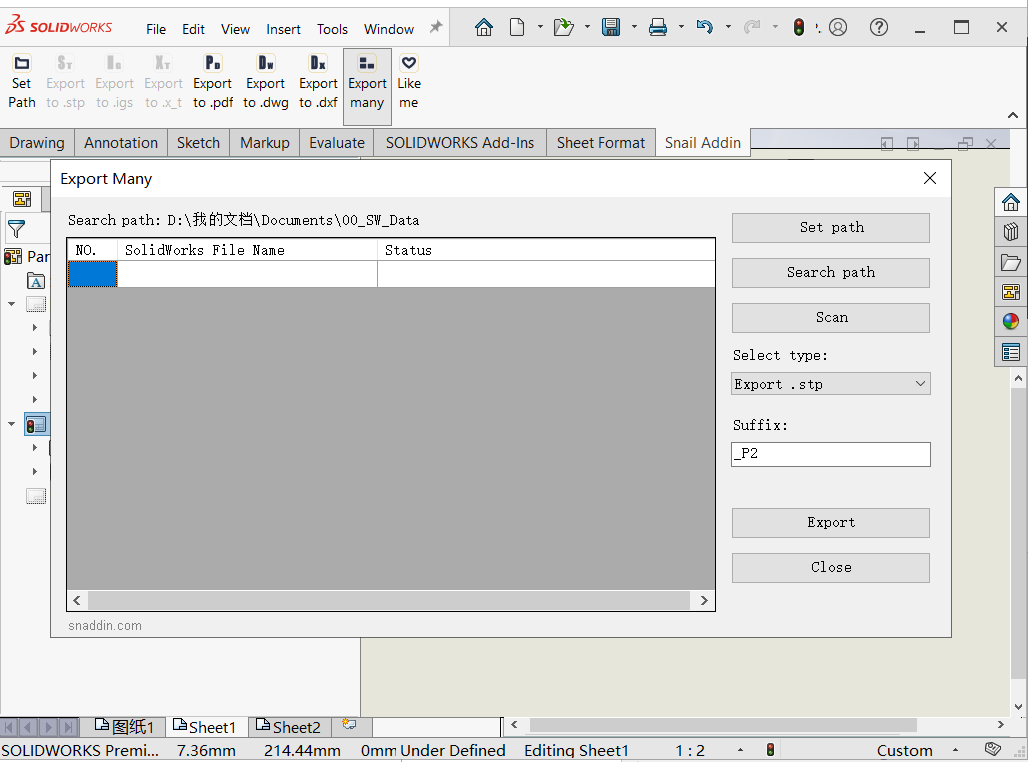
Duplicate Name Handling — Automatically appends suffixes to distinguish parts and assemblies with identical names.
When duplicate filenames are detected, suffixes are automatically added to exported files to prevent missing files.
Export Report — Generates a detailed status log after each batch export.
If SolidWorks crashes unexpectedly, you can easily check the progress of the batch export task and resume the task quickly after restarting SolidWorks.
Seamless Integration — Runs from a dedicated SolidWorks toolbar.
This add-in integrates seamlessly with SolidWorks, delivering a smooth native-like experience.